Activate Available Team Members.
The fastest way to connect an overloaded team member with one who has time to help. No Gantt charts, no PM in the middle — your team pulls in help in seconds.
Limited pilot cohort · white-glove onboarding
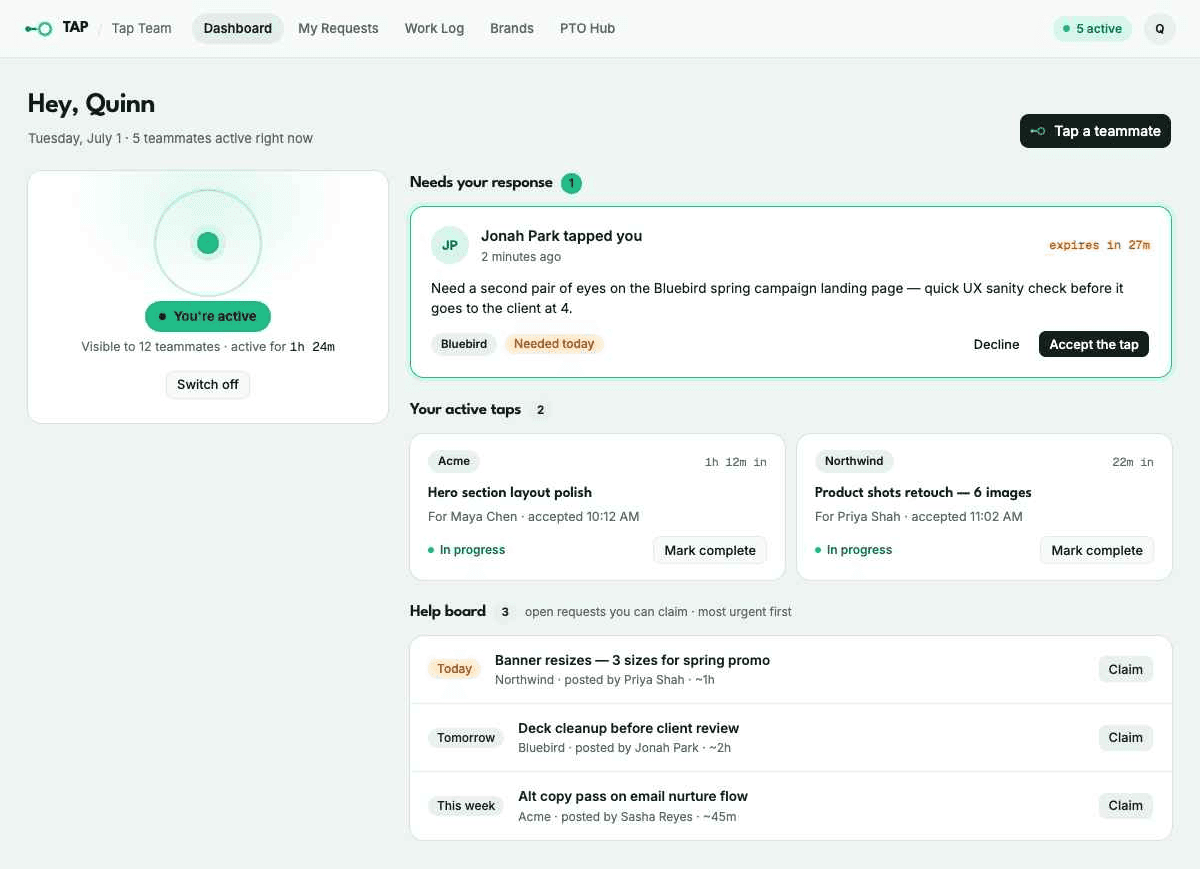
See it in action
Someone’s drowning. Someone else is idle. Nobody knows.
Even with meticulous planning, workflows swing between overload and radio silence — sometimes in the same week. When you’re slammed, delegating feels slower than just doing it yourself, so you don’t. When you’re free, there’s no signal telling you who needs a hand.
So the work doesn’t move. Productivity drops while your most available people sit waiting for something to do.
Resource management tools were supposed to fix this. But they’re built for the PM planning six weeks out, not the team member who’s underwater right now.
Tap-in, don’t tough it out.
Every other resource management tool is top-down. A manager looks at a project calendar, sees who’s free, and assigns the work — but we all know timelines never work out so cleanly.
When the realities of work create busy peaks or slow weeks, Tap helps regulate the balance across your team. Team members flag their own availability and overloaded teammates pull them in directly. The whole loop — posting a request, finding a free teammate, and handing off the work — takes under a minute.
Now you can dynamically activate teammates as work ebbs and flows.
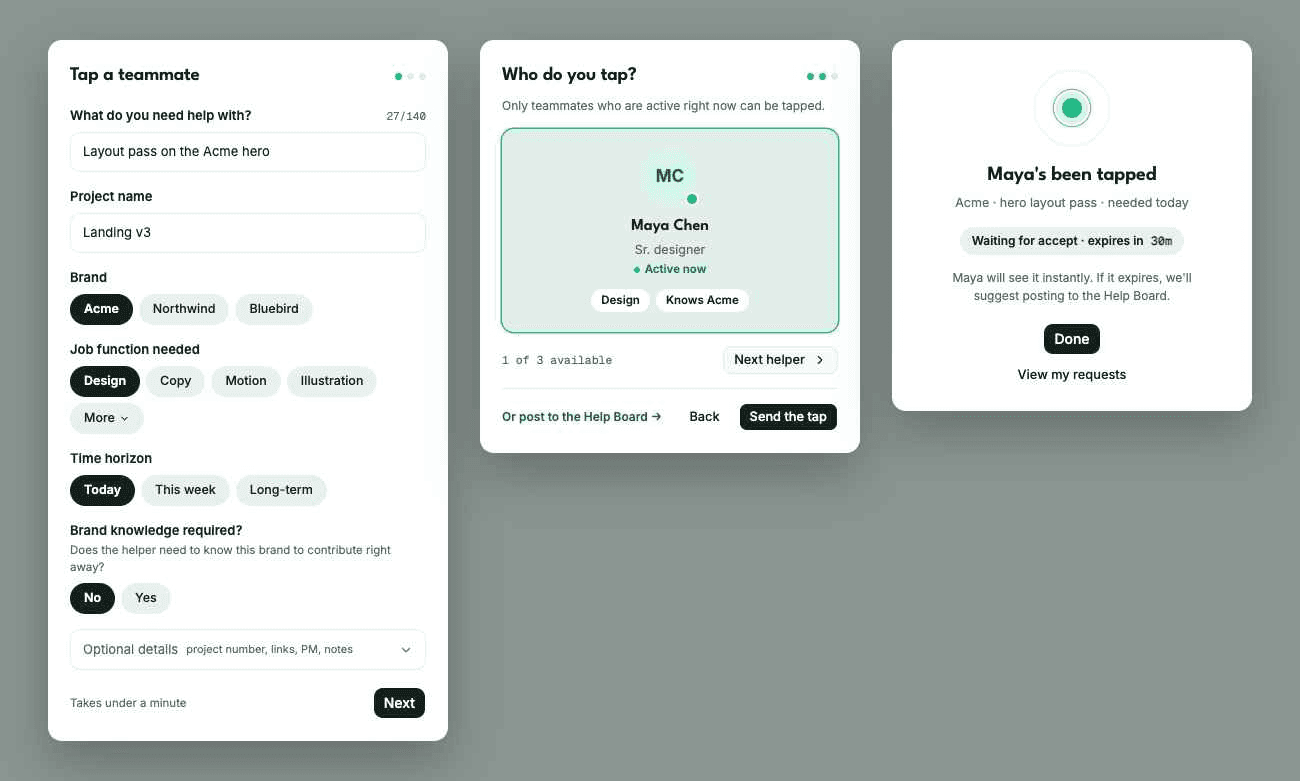
Built around two moves: ask for help, give help.
Availability, in your hands
Flip a switch when you’ve got time — today, this week, or longer. Your manager doesn’t set it; you do. Toggle off when your bandwidth is used up, and you drop out of matching instantly.
The Tap queue
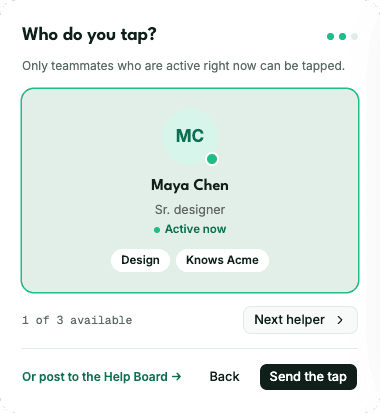
Post what you need help with and Tap matches you with available teammates that meet your request requirements. Pull someone in and they get the request in seconds.
The help board
Not urgent? Post it to the board and let available teammates claim it on their own time. Requests sort by what’s expiring soonest, so nothing useful slips through the cracks.
Account context that travels with the work
The client quirks, the regulatory landmines, the “never use that shade of blue” — all the lore usually learned over time. Tap captures it alongside the brand, so handing off work doesn’t mean handing off a 20-minute explanation — and the work stays consistent for the client.
From “I’m drowning” to “on it” in under a minute.
- 01
Go active
A teammate flips their availability on.
You’re activeVisible to 12 teammates · active for 1h 24m
Switch off - 02
Post the ask
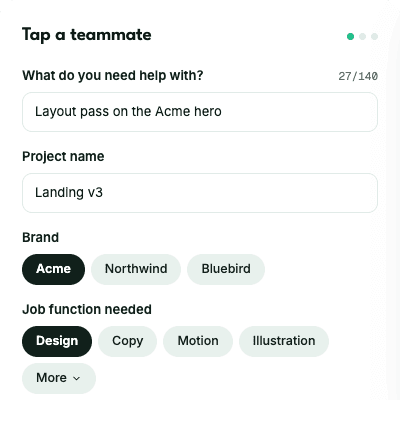
You drop a quick request — task, brand, what you need.
- 03
Pull them in
Tap surfaces who’s free. You tap one. They get it instantly.
- 04
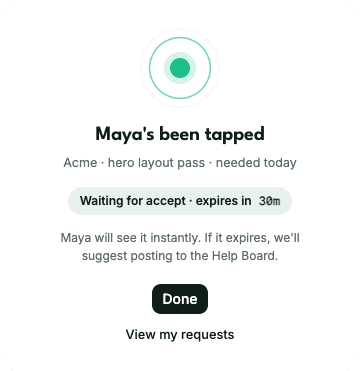
They’ve got it
Accepted, context attached, work moving.
An upgrade for the whole team.
For team members
Control over your own day. Help that’s easy to ask for and easy to give. Less time stuck explaining, more time doing the work you’re good at.
For directors
Collaboration across account silos, institutional knowledge that stops walking out the door, and a team that burns out less because the load actually gets shared.
For the CFO
Idle hours become billable hours. A 5% utilization lift on a 40-creative team is roughly $540,000 in recovered revenue a year. At Agency-tier pricing, you break even the first week.
Flat pricing. Invite the whole team without watching a meter.
Per-seat pricing punishes you for adding people. Tap charges one flat rate per bracket. Invite everyone. Extra team space can be added to any tier for $35/additional member.
*Annual plans get two months free.
Your most available people are your most wasted resource.
Stop letting capacity sit idle. Activate it.